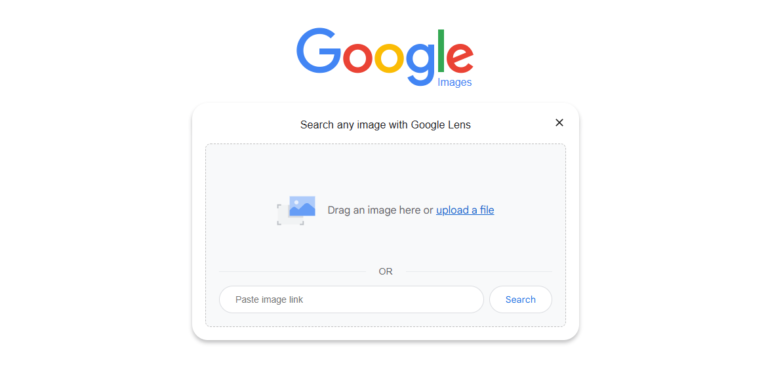

Reverse image search sounds simple on the surface. You upload an image, hit search, and wait for results. But behind that simplicity is a surprisingly layered process that plays an important role in how we understand images online. Whether you are trying to find an image source, verify authenticity, or check how an image is being reused, reverse image search has become an essential technique in a visual first internet.
To use it well, though, you need to understand how image search techniques actually works and when it makes sense to rely on it. Otherwise, it is easy to misread results or draw conclusions that do not hold up.
What reverse image search actually does
Traditional search begins with words. Reverse image search starts with visual data. When you upload an image or paste an image URL, the search system does not read the image the way a human does. Instead, it analyzes visual features and converts them into measurable signals. These signals can include shapes, edges, color patterns, textures, and spatial relationships within the image.
Once those signals are extracted, the system compares them against a large index of images it has already processed. The goal is not to find an exact copy every time, but to identify images that share similar visual characteristics. That is why reverse image search can often find resized, cropped, or slightly edited versions of an image.
The results you see are influenced by how the search engine prioritizes matches. Some systems emphasize overall similarity. Others look more closely at specific elements like faces or objects. Some place greater weight on where and how an image appears across the web. These differences explain why the same image can return different results depending on the platform you use.
How reverse image search works behind the scenes
At a deeper level, reverse image search relies on machine learning models trained to recognize visual patterns. These models break an image into components and assign values to features that help describe it mathematically. When a new image is submitted, the system looks for images in its database with similar feature patterns.
Indexing also plays a major role. Each search engine crawls and stores images differently. Some focus on popular websites and news sources. Others index a wider range of regional or niche sites. Update frequency matters too. An image published yesterday may not appear in all indexes right away.
This combination of feature analysis and index coverage determines what results appear. It also explains why reverse image search is never perfectly complete. The tool can only find what it has already seen and processed.
When reverse image search works well
Reverse image search performs best in situations where an image has a visible footprint online. Images that are widely shared, published on multiple websites, or reused across platforms are easier to trace. Stock photos, press images, and viral visuals often return strong results because they exist in many forms across the web.
It is also effective when an image has not been heavily altered. Minor resizing or compression usually does not prevent matching. Even light cropping can still produce useful results if the core visual elements remain intact.
Another area where reverse image search shines is discovery. If you want to find higher resolution versions of an image, similar visuals, or related content, reverse image search can surface options that keyword searches would never reveal.
When reverse image search struggles
There are clear limitations. Heavily edited images can confuse matching systems. Changes in color balance, added overlays, significant cropping, or compositing can strip away the visual signals the system relies on. In those cases, results may be incomplete or misleading.
Newly published images also pose a challenge. If an image has not yet been indexed, reverse image search will not find it. This can create a false sense of absence, where users assume an image is original simply because no matches appear.
Abstract or highly stylized images can be difficult as well. Illustrations, digital art, or generative visuals often lack consistent patterns that match across different works, making similarity harder to determine.
Understanding these limits is critical. Reverse image search is a powerful tool, but it is not a guarantee of completeness.
Why results differ across platforms
One of the most confusing aspects for new users is seeing different results from different tools. This happens for several reasons.
First, each platform maintains its own image index. The web is too large for any single search engine to index everything equally. Regional focus, language coverage, and crawling priorities all affect what images are stored.
Second, matching algorithms differ. Some platforms are especially strong at facial recognition. Others excel at object detection or texture matching. These strengths influence which results rise to the top.
Third, ranking signals vary. One platform might rank images based on visual similarity alone, while another considers page authority, context, or frequency of use. As a result, the same image may appear prominently in one tool and barely register in another.
This variation is not a flaw. It is a reminder that reverse image search works best as a comparative process rather than a single answer machine.
When to use reverse image search in practice
Reverse image search is particularly useful when you need to trace origins. If you want to know where an image first appeared or how it has spread online, it provides a starting point for investigation. Journalists, researchers, and content creators rely on it to verify claims and avoid misattribution.
It is also valuable for checking reuse. Brands and photographers use reverse image search to see where their images appear and whether they are being used with permission. Even casual users can use it to find out if an image they want to share has already been widely circulated.
Another practical use case is context checking. Images are often reused in misleading ways. A photo from one event may be presented as evidence of another. Reverse image search can reveal earlier uses that clarify the true context.
For SEO and content creation, reverse image search helps identify stock imagery, find alternatives, and understand how visual assets are distributed across the web.
Common mistakes to avoid
One common mistake is assuming the top result is the original source. Popular reposts often outrank earlier publications. Always check dates and page context before drawing conclusions.
Another mistake is relying on a single platform. As discussed earlier, each tool sees the web differently. Cross checking results across multiple services provides a more accurate picture.
It is also easy to confuse visual similarity with identity. Two images may look alike but be entirely separate photographs. Paying attention to details like cropping, perspective, and background can prevent incorrect assumptions.
How reverse image search fits into a larger workflow
Reverse image search is most effective when used as part of a broader image analysis process. It pairs naturally with visual search techniques, metadata inspection, and contextual evaluation. Together, these methods create a workflow that balances automation with human judgment.
Rather than asking whether reverse image search is accurate, a better question is how it contributes to understanding. Used thoughtfully, it offers clues that guide further investigation. Used carelessly, it can reinforce false conclusions.
Final thoughts
Reverse image search has become an essential technique in a world where images travel faster than words. It allows users to look beyond surface appearances and ask deeper questions about origin, usage, and meaning. Understanding how it works and when to use it makes the difference between guessing and knowing.
The real power of reverse image search lies not in any single result, but in the patterns that emerge when you compare sources, question context, and combine methods. With that mindset, it becomes a reliable tool for navigating the visual web with confidence.