
Reverse image search is one of those skills that pays off every time you need to find an image source, check reuse, or sniff out manipulation. But not all reverse image tools are created equal. Some excel at broad coverage, others pick up subtle edits, and a few find matches where everyone else draws a blank. If you work with images for research, journalism, SEO, or copyright checks, knowing which tool to reach for saves time and makes your results far more reliable. Below I compare the major players, explain how they differ, and share practical tips for using them together so you can get accurate answers faster.
How reverse image search works in plain terms
At a basic level, reverse image search converts visual information into a pattern and looks for similar patterns in a database. The pattern may be a mix of color distributions, edges, textures, or features extracted by machine learning models. Each search engine builds its own index using different crawling strategies and matching algorithms. That is why the same image returns different results in different tools. One engine might prioritize overall visual similarity, another might focus on faces, and yet another might favor the earliest published instance it has crawled.
Understanding that difference matters. If you treat results as clues rather than the final answer, you are already halfway to getting the right result.
Google Images and Google Lens: the default for most searches
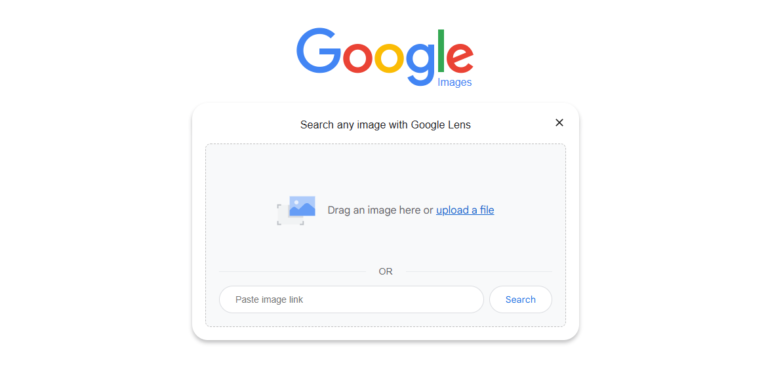
Google is the obvious starting point. It has the widest crawl and frequently returns matches from mainstream websites, news outlets, and social platforms. There are two related Google tools worth noting. Google Images reverse search accepts an uploaded image or an image URL and shows visually similar images and pages where the image appears. Google Lens expands on that with object recognition and mobile-first features. Lens can identify products, landmarks, and text inside images.
When Google works well
- Broad coverage across the public web
- Finds common reposts and high authority sources
- Good for tracing stock images and news photos
When Google falls short
- Struggles with non Latin script pages sometimes
- May miss matches in regionally focused indexes
- Can miss modified or heavily cropped images
Tip: Use Lens for mobile shots and product queries, and Google Images on desktop when you want detailed page matches. If you get one promising hit, click through to the page and check the context and publication date.
Yandex: the go-to for faces and regional matches
Yandex comes from a Russian search ecosystem but it has earned a reputation for visual matching that often finds things Google does not. Yandex tends to be very good at faces and fine-grained visual similarity. In many real world tests, Yandex finds earlier or alternate appearances of images that other engines miss. It also indexes a different slice of the web, so you get regional coverage that complements Google.
Strengths
- Excellent at face matching and subtle visual variants
- Good at finding images on Russian and Eastern European sites
- Often finds close matches when images have been cropped or rehosted
Limitations
- Interface can be less intuitive for non Russian speakers
- Index may be weaker for Western niche sites compared with Google
Tip: Run an image through Yandex after Google. If you suspect the image circulated on social platforms in Eastern Europe or you are checking a face, start with Yandex.
Bing Visual Search: practical and visual filters
Bing has invested in visual search features and often surfaces useful results with helpful filters. Visual Search understands objects inside an image and allows you to refine searches by similar objects or specific regions of the image. Bing’s index overlaps with Google, yet it also adds matches from places Google may not prioritize. For product searches, Bing can be surprisingly effective at finding shopping matches and alternative images.
Where Bing excels
- Strong object based search and filtering
- Useful for shopping and product visual matches
- Good for exploring similar images without exact matches
Where Bing lags
- Less comprehensive index than Google overall
- Matches sometimes skew toward commercial results
Tip: Use Bing when you want object level matches or product variants. The cropping tools in Bing Visual Search help you target a specific section of the image.
TinEye: accuracy and provenance focus
TinEye is built for reverse image search techniques only, and it has a reputation for precision. Unlike general search engines, TinEye focuses on tracking image reuse, modified versions, and finding the earliest indexed occurrence in its own database. The site is lean and fast, and it supports usage tracking for brands and copyright monitoring.
Pros
- Excellent at tracking modified or resized copies
- Offers browser plugins and commercial monitoring services
- Shows match counts and image versions clearly
Cons
- Smaller index than Google or Yandex
- May not find a match if the image appears only on social platforms or in dynamic pages
Tip: Use TinEye when you suspect an image has been reposted or edited and you want a clean view of variants. It is especially useful for copyright queries.
Other useful tools and services
A few other tools deserve a mention because they fill special niches. Pixsy and ImageRights offer copyright enforcement and monitoring services designed for photographers and agencies. Reverse lookup features in social platforms such as Pinterest Lens can pick up matches tied to that ecosystem. For forensic work, FotoForensics offers analysis of compression artifacts and error level analysis, which helps detect certain kinds of edits.
Tools to consider
- Pixsy for copyright tracking and takedown support
- FotoForensics for forensic clues when authenticity is in question
- Pinterest Lens for visually similar content within Pinterest
- Social platform native searches for Instagram and Twitter style content, though these are often more limited
Why combining tools beats relying on one
No single tool sees the whole web or interprets images in the same way. That makes a cross tool strategy the most reliable. Start broad with Google to catch mainstream matches. Run Yandex to find different regional or face matches. Use Bing for object and product exploration. Bring in TinEye for variant tracking and PhotoForensics if you need edit clues.
When the stakes are high, treat reverse image search like a small investigation. If an image appears in multiple independent sources, especially older sources, that adds credibility. If results contradict each other, dig into page timestamps, archive versions, and the surrounding article text.
Practical workflow that actually works
Here is a simple workflow you can follow every time.
- Upload the image to Google Images and note the best matches. Check dates and page context.
- Run Yandex for face sensitive matches and alternate regional hits.
- Try Bing Visual Search to isolate objects and product variants.
- Use TinEye to see modified versions and match counts.
- If authenticity matters, check FotoForensics for patterns of manipulation and use the Wayback Machine to verify publication history.
This step by step method catches most blind spots.
Final comparison and picking the right tool
If you have to pick one all purpose tool, start with Google. It is the broadest and most familiar. If you work with faces or suspect regional rehosting, use Yandex. For product and object detection, add Bing. For copyright tracking and edit detection, bring in TinEye and FotoForensics. Across the board, use multiple tools and treat results as pieces of evidence, not the whole story.
Reverse image search is as much about method as it is about tools. The smarter your approach, the fewer false leads you follow. With a few practical habits and the right mix of tools, you will track down sources faster, cut through misleading reposts, and come away with answers you can trust.